Open source · Self-hosted · Apache 2.0
Keep the Firebase SDK.
Own your backend.
Aruma runs Auth, Realtime Database, Storage, Security Rules and Firestore on one Go binary and your PostgreSQL. Your apps keep the official Firebase SDKs. You keep your data, your bill and your rules.
$ git clone https://github.com/arumadev/aruma.git && docker compose up -dimport { initializeApp } from "firebase/app";
import { getAuth } from "firebase/auth";
import { getDatabase } from "firebase/database";
import { getFirestore } from "firebase/firestore";
const app = initializeApp(config);
const auth = getAuth(app);
const db = getDatabase(app);$ bin/aruma serve
✓ PostgreSQL connected
✓ Authentication ready
✓ Realtime Database ready
✓ Cloud Storage ready
✓ Firestore ready
→ Console http://localhost:808001 · How it works
Swap one file.
Ship the same app.
Create a project in the console, download its config file and put it where Firebase’s was. No emulator mode, no fork of the SDK. For Auth, Realtime Database and Firestore on supported setups your application code does not change. A few platforms need one small helper, listed in SDK packages.
- Run one binary next to PostgreSQL.
- Download
google-services.json,GoogleService-Info.plistor the web config. - Ship. Your queries, listeners and rules stay as they are.
const app = initializeApp({
  projectId: "my-app",
  apiKey: "AIza…",
- databaseURL: "https://my-app.firebaseio.com",
+ databaseURL: "https://db.your-domain.com",
});
02 · Realtime
Write on one device.
See it everywhere.
Listeners, transactions and onDisconnect work over the same protocol your SDK already speaks. Try it: this is an in-page simulation of what the SDK does against your server.
set(ref(db, "rooms/lobby/last"), text){
"rooms": {
"lobby": {
"last": "hello",
"writes": 1
}
}
}onValue → hello
onValue(ref(db, "rooms/lobby/last"), …)03 · Services
Five Firebase services.
One binary.
A service ships when it passes against the official SDKs, not before. Every difference we know of is written down in known differences.
Authentication
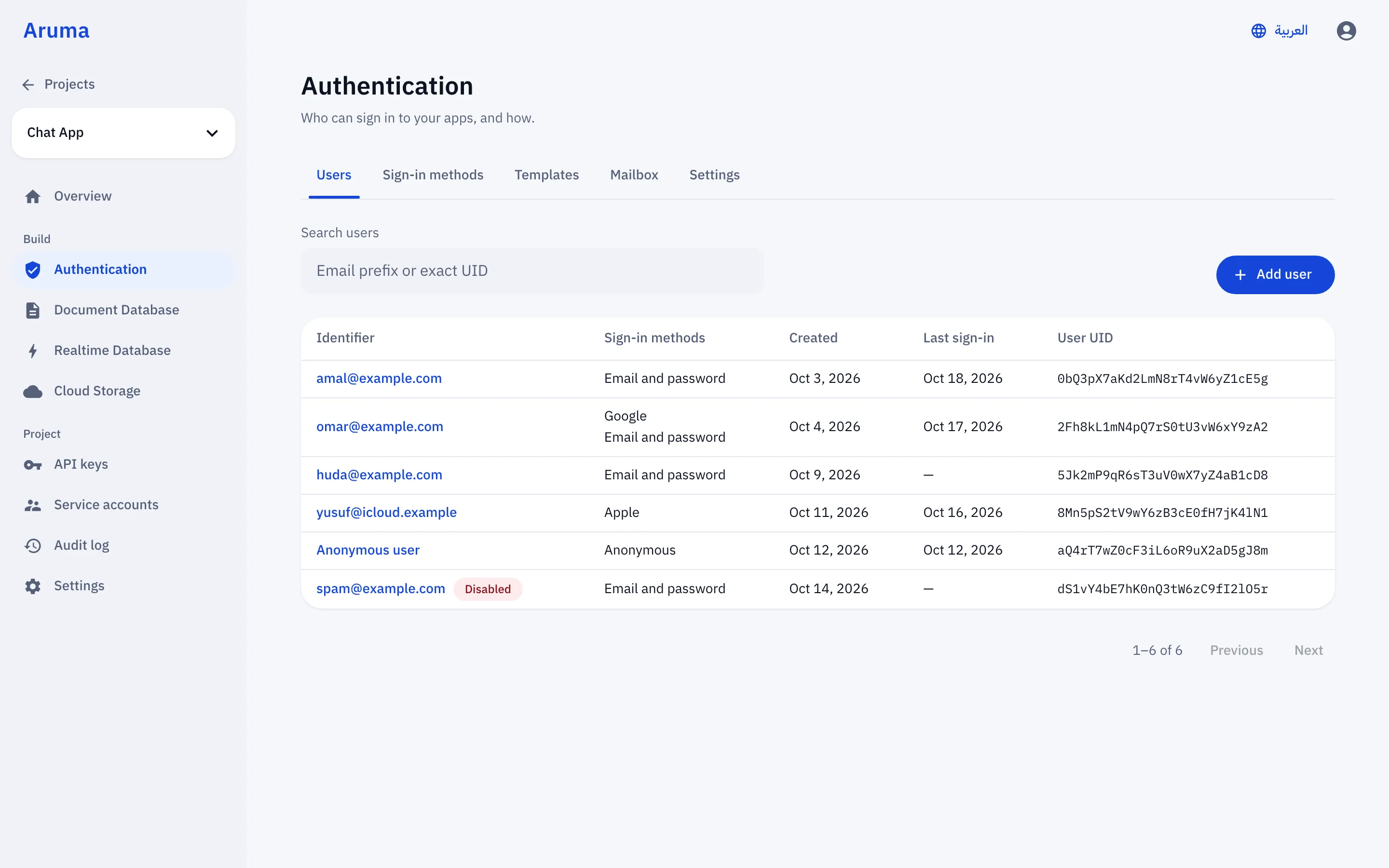
Email, password, anonymous and identity providers through the Firebase Auth SDK.
GuideRealtime Database
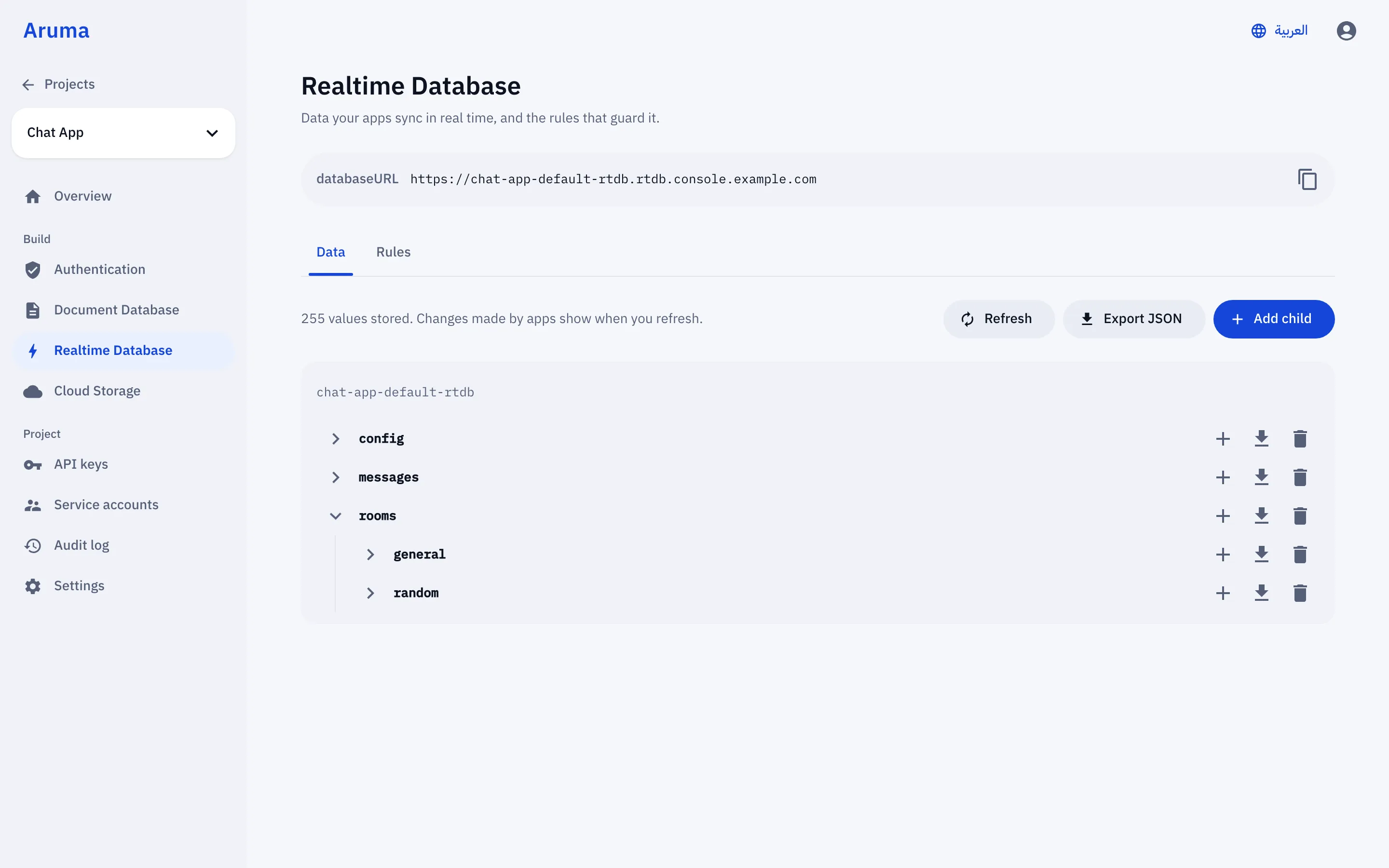
A live JSON tree with listeners, transactions and onDisconnect, over the same wire protocol.
GuideSecurity Rules
Your rules, evaluated on your server, checked case by case against Google’s own engine.
GuideCloud Storage
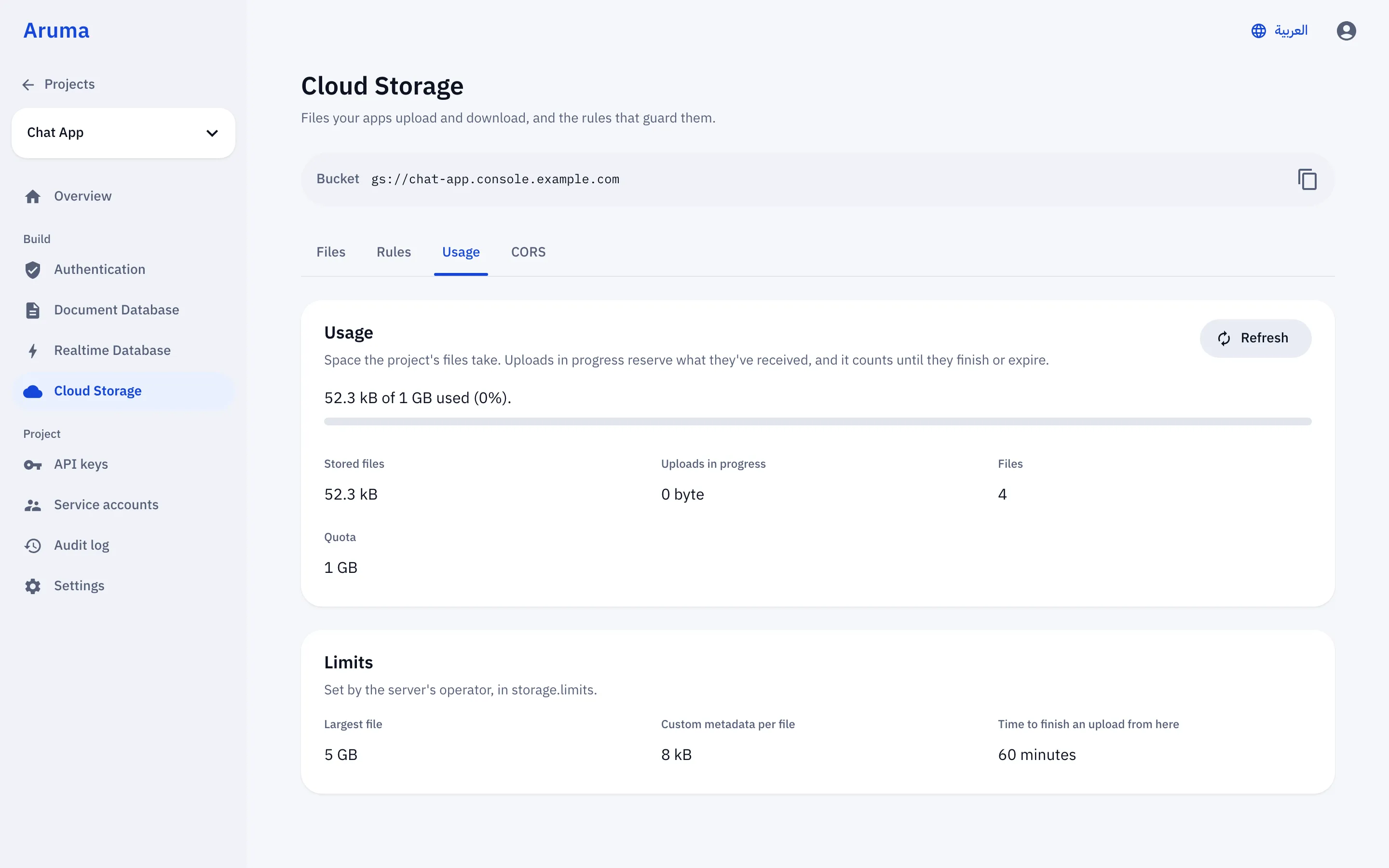
Uploads, downloads and metadata, stored on your disk and served by your binary.
GuideFirestore
Documents, collections, queries and listeners through the Firestore SDKs.
Guide04 · Proof
We don’t ask you to trust us.
We ran Google’s tests.
writes lost out of 101,354 acknowledged, through 81 SIGKILLs of the server.
official firebase-js-sdk Realtime Database tests pass in production mode.
official Storage tests pass, unmodified. The other 8 are documented. None is an Aruma bug.
Realtime Database connections held by a single server.
05 · The console
The console you know.
In the same binary.
06 · Why self-host
Firebase’s developer experience.
Without the lock-in.
Your data
In your own PostgreSQL, in the region you choose. Back it up, query it, move it.
Your bill
You pay for a server, not for every read, write and download. A small VPS is enough to start.
Your rules
Run it in the cloud, on-premise or fully offline, wherever your users and your laws require.
Your code
Apache 2.0. Read every line, fork it, and send changes back.
Your backend.
Your server. Today.
Pre-1.0. Aruma does not serve Cloud Functions, so don’t use callable functions with Aruma Auth. See known differences.